01
Drop
Drop local files or add remote URLs. We handle the heavy lifting.
Drop files. Blend local media with remote URLs. Arrange programming blocks in minutes. Inject commercial breaks automatically. Export clean playlists for VLC or OBS.
Workflow in 3 simple steps
Drop local files or add remote URLs. We handle the heavy lifting.
Organize content in playlists and blocks. Set the order, breaks, and bumper rules.
Export clean .m3u playlists ready for VLC, OBS, or any player.
Playlist Builder
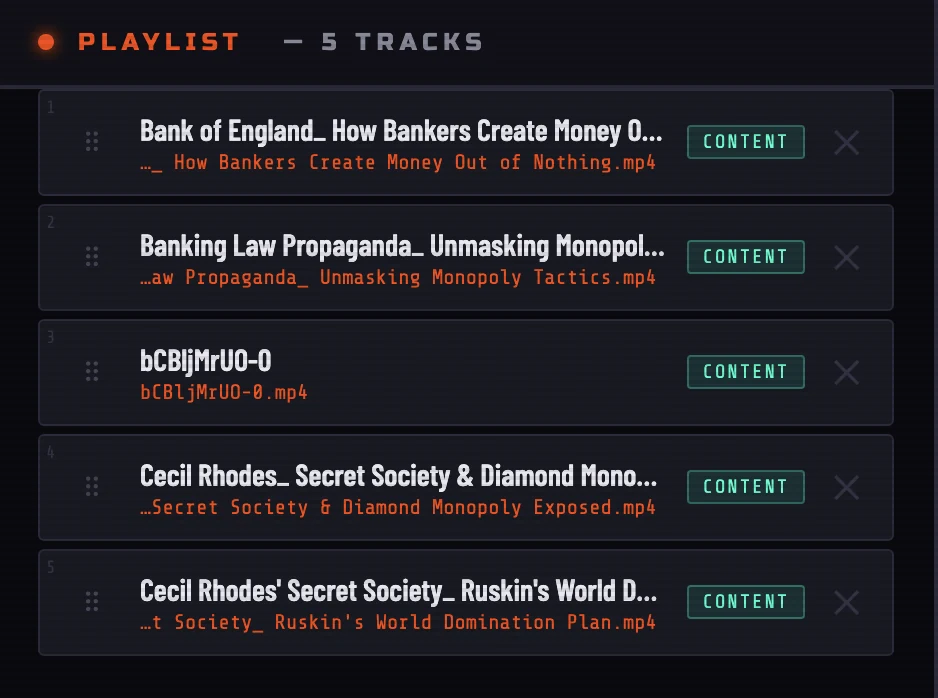
See your content. Control the flow. Our visual builder makes playlist creation fast, flexible, and reliable.
Commercial Injection
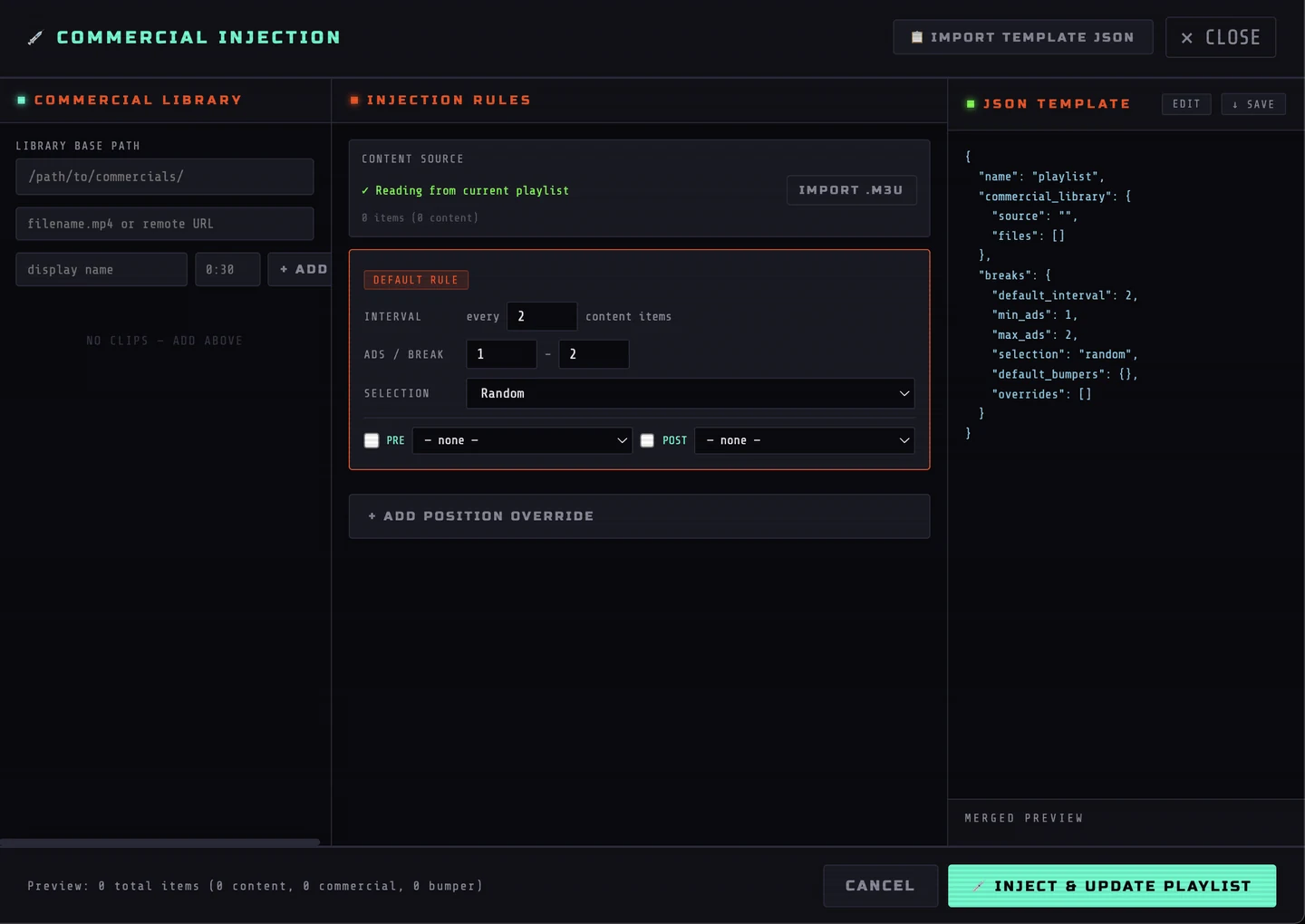
Define your rules once. Drop Zone Ops handles the rest—placing ads and bumpers exactly where they belong.
Your shows,
in your order.
Break rules + ad
library and bumpers.
A clean .m3u
ready to play.
Built for broadcast. Designed for control.
Mix local files and remote URLs seamlessly. Full path control, flexible sourcing.
Create structured playlists, set intervals, breaks, and bumpers with precision.
Import .m3u files, build multiple playlists, and save templates to scale faster.
Export clean, standard M3U playlists compatible with VLC, OBS, and more.
Drop files. Build playlists. Inject breaks. Hit play. That's Drop Zone Ops.